PTZ Controller Instructions
Settings
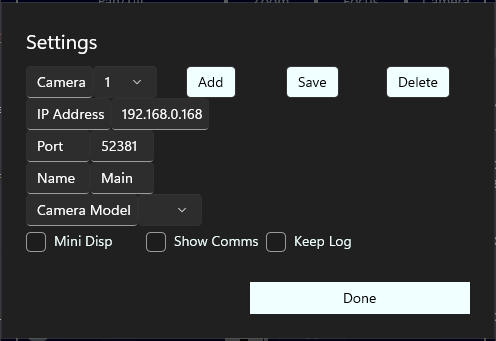
Pressing the Settings button opens a screen for connection and other settings
Use camera's instructions to set a static address for the camera.
If you are adding a camera, click the Add button then select the largest camera number.
Enter the IP Address, Port and Name for the camera, and select a camera model.
Show Comms is checked if you want to see the actual commands sent to and received from the cameras.
Keep Log is checked if you want to create a log of the communications
copyright © 2026 Autonomous Systems